


New to OrientWar? Follow the pictures and steps below. The website and game client have separate language settings.
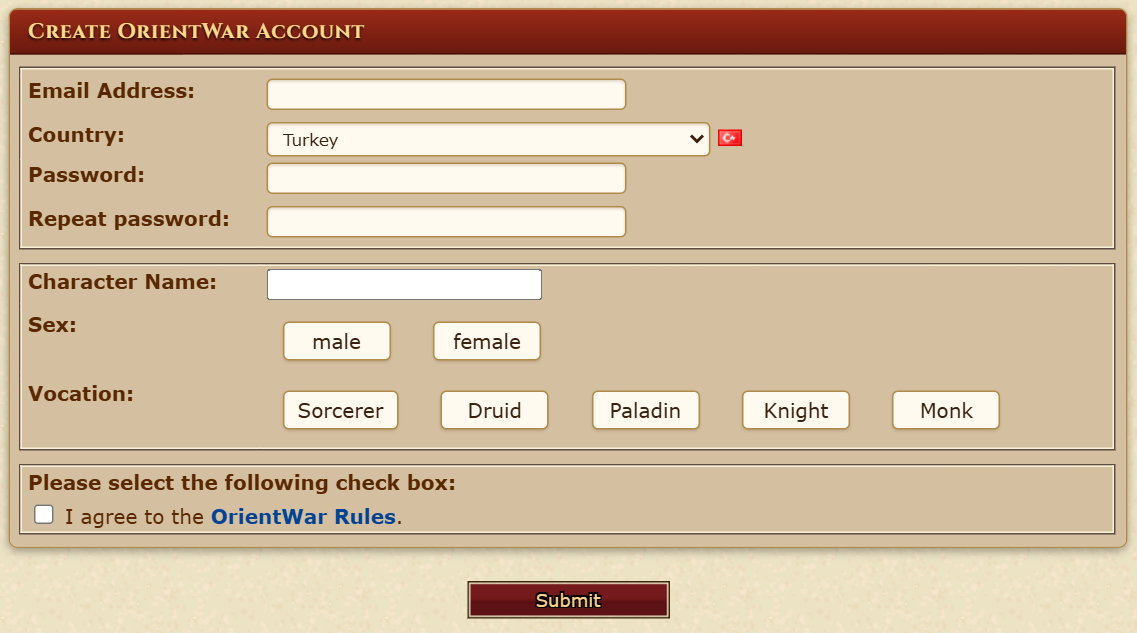
Open Create Account. Enter your email address, password and password confirmation, then choose your country. Enter a character name, choose sex and vocation, accept the rules and press Submit. Your first character is created with the account.
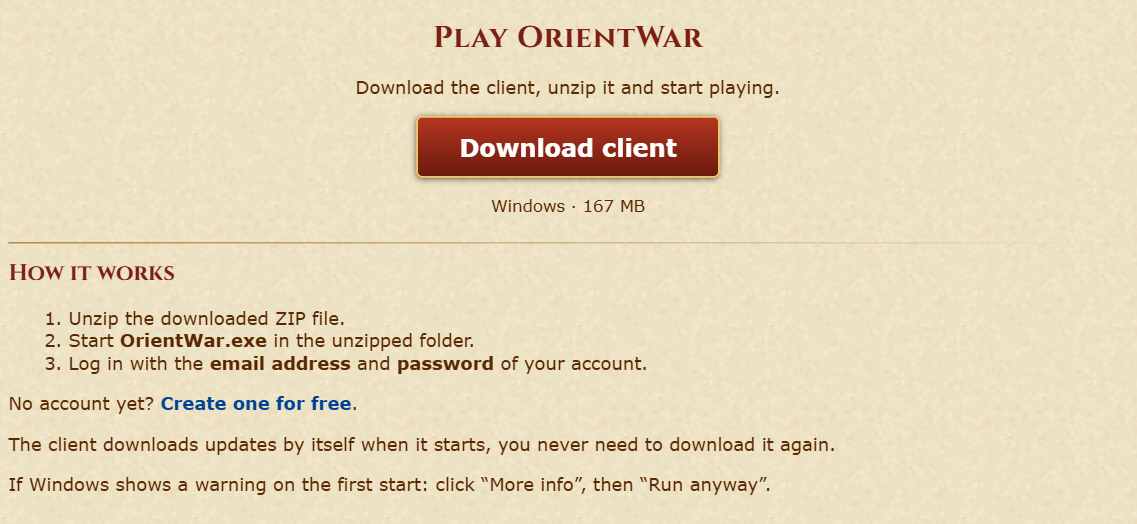
On the Downloads page, click Download client. Extract the ZIP file completely into a folder, then run OrientWar.exe from that folder on Windows. The OrientWar server address is already set in this client.
In the client, enter the email address used during registration and the password you chose, then click Enter Game. Your character name is not the login. You do not need to enter a server address.
Select the character you created during registration from the character list and click Enter Game again. The game will open with that character.
The first time you open the client, choose a language in its language window. If you chose the wrong one, open Options > Misc. > Help > Change language and choose again. The flags at the top right of this website change only the website language. Some server messages and game names remain in English.
Check the email and password you entered during registration. If you forgot them, use Lost Account?. If the client does not start correctly, download the current ZIP from Downloads and extract it into a new folder.
